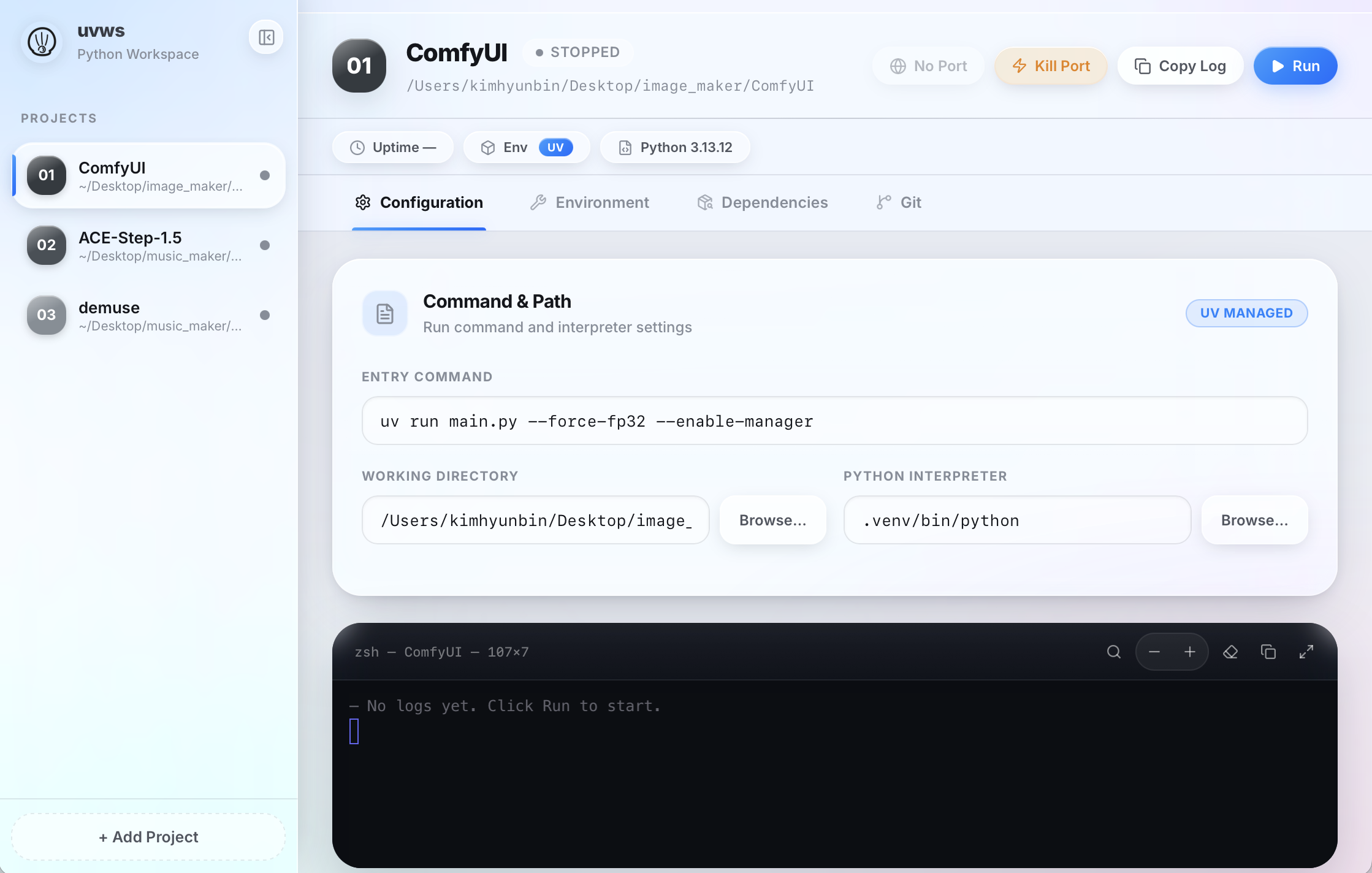
No more cd, activate venv, run python. Register a folder once and you're done — manage and launch all your projects from a single desktop app.
macOS (Apple Silicon · Intel) · Windows 10+ · Linux · Free
All the little annoyances that pile up when you run several Python projects locally — handled, one by one.
Register a folder, then it's a single click. Internally wrapped with uv run so it works without a venv — and creates one on first run if missing.
Each project's stdout/stderr streams live. When a localhost address shows up in the logs, an "Open in browser" button appears automatically.
Kills the process holding a port with SIGKILL and confirms it's actually freed. No more typing lsof when you hit "port already in use".
Importing a folder with requirements.txt or pyproject.toml? Pick a Python version (3.10–3.13) and install dependencies in one go.
Run multiple project servers at once, each with its own terminal and port. Quitting the app cleans up running servers — and orphans are swept on the next launch.
If the project is a Git repo, see branch · ahead/behind · changed files · recent commits at a glance, and Fetch / Pull / Push with a button.
Expose a running local server through a public link and QR in one click — scan it to open your app on your phone, no deploy. Powered by cloudflared.
Watch each project's CPU and memory usage live, with an inline sparkline — so you can tell at a glance which run is heavy.
Check for outdated packages and upgrade them — per package or all at once — right from the Dependencies tab, plus native notifications when a server is ready or crashes.
Click a button and the latest version downloads directly — no detour through GitHub.
curl -LsSf https://astral.sh/uv/install.sh | sh
Windows (PowerShell)
powershell -ExecutionPolicy ByPass -c "irm https://astral.sh/uv/install.ps1 | iex"
If macOS shows a security warning on first launch (not yet notarized)
xattr -cr /Applications/uvws.app
Linux — make the AppImage executable, then run it (needs libfuse2 on some distros)
chmod +x uvws_*.AppImage && ./uvws_*.AppImage
If you spin up local Python servers a lot, almost all of these apply.
A quick rundown of what uvws is and what Python tasks it's for.
uv run and adds a built-in terminal, force-kill ports, concurrent runs, and Git integration. Free and open source, for macOS, Windows, and Linux.curl -LsSf https://astral.sh/uv/install.sh | sh, on Windows run irm https://astral.sh/uv/install.ps1 | iex in PowerShell.localhost address shows in the logs an "Open in browser" button appears, and a blocked port can be freed with Kill Port.lsof or kill -9 yourself.uv run, so it works without activating a venv and creates one on first run if missing. With a requirements.txt or pyproject.toml, the import wizard lets you pick a Python version (3.10–3.13) and install dependencies in one go.